
The TMS that reads your rate cons.
Broker email in. Loads out, on one timeline, billed when the paperwork lands. For carrier owners and dispatchers running 1 to 150 trucks.
support@tmsaix.comEmail, no form. Replies from a person.
A carrier runs on broker email. Most of it is retyped.
The office already has the information. It arrives as PDFs and photos, all day, and someone types it into something else.
- Broker email arrives all day: offers, rate cons, tenders, updates.
- Rate cons are retyped by hand into the TMS, the spreadsheet or both.
- A tender expires while the inbox is being scrolled.
- PODs are chased by text message and arrive as photos.
- Dispatch lives on a whiteboard or a spreadsheet nobody else can read.
- Billing waits on paperwork that is still in the cab.
The product, screen by screen.
Mail and Dispatch are where the day happens. AI review is where a person checks what the AI read. On a phone, the same Mail fits in a pocket.
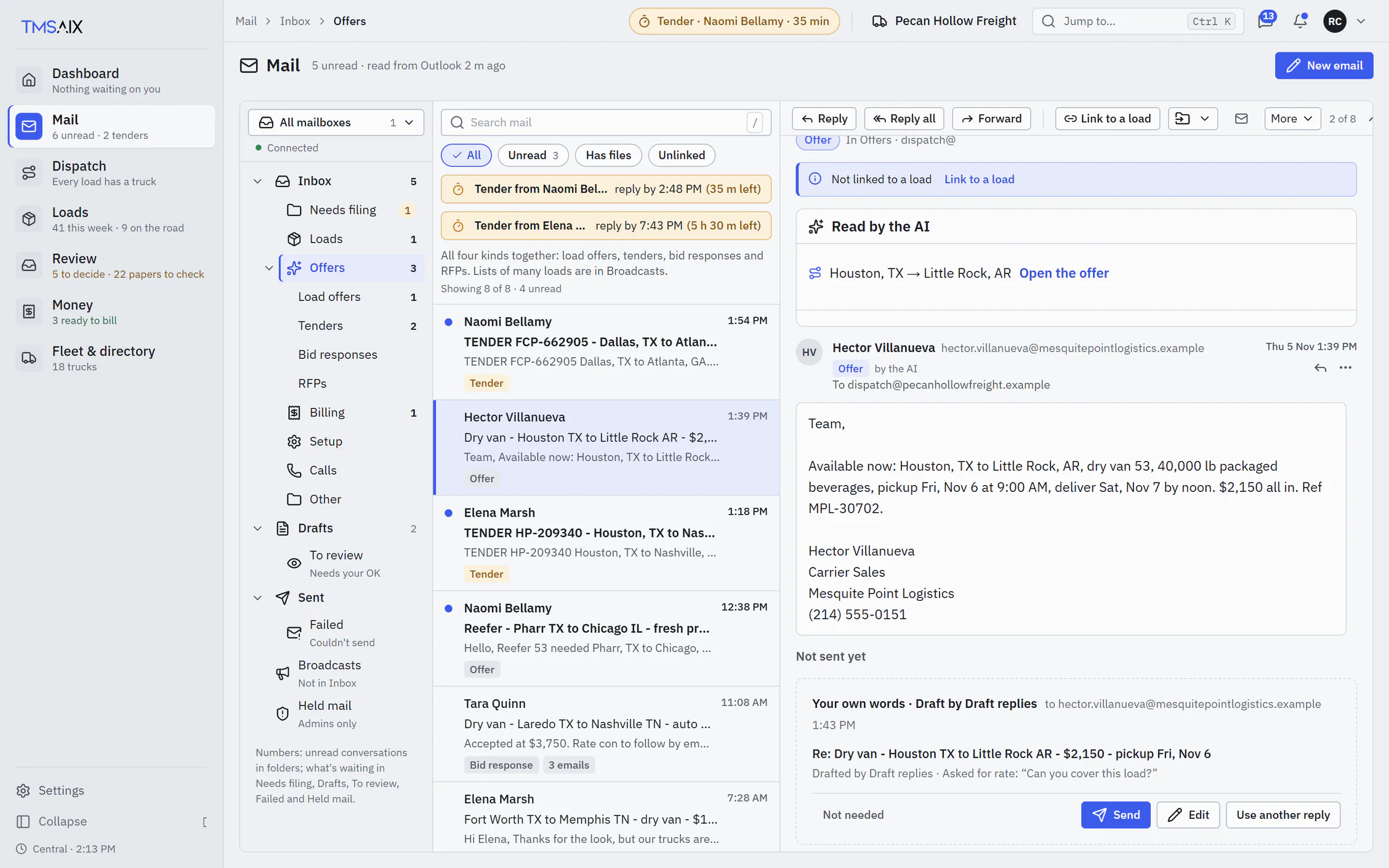
Broker email sorted as it lands: offers, rate cons, tenders, updates. A drafted reply waits under the thread, and the conversation stays beside the load.
Loads come out of broker email without retyping.
The rate con lands in Mail already sorted, with the broker's thread beside it.
The AI proposes the load from the PDF: lane, dates, rate, reference RC 88412.
A tender's reply-by countdown sits on the row, so it is answered before it expires.
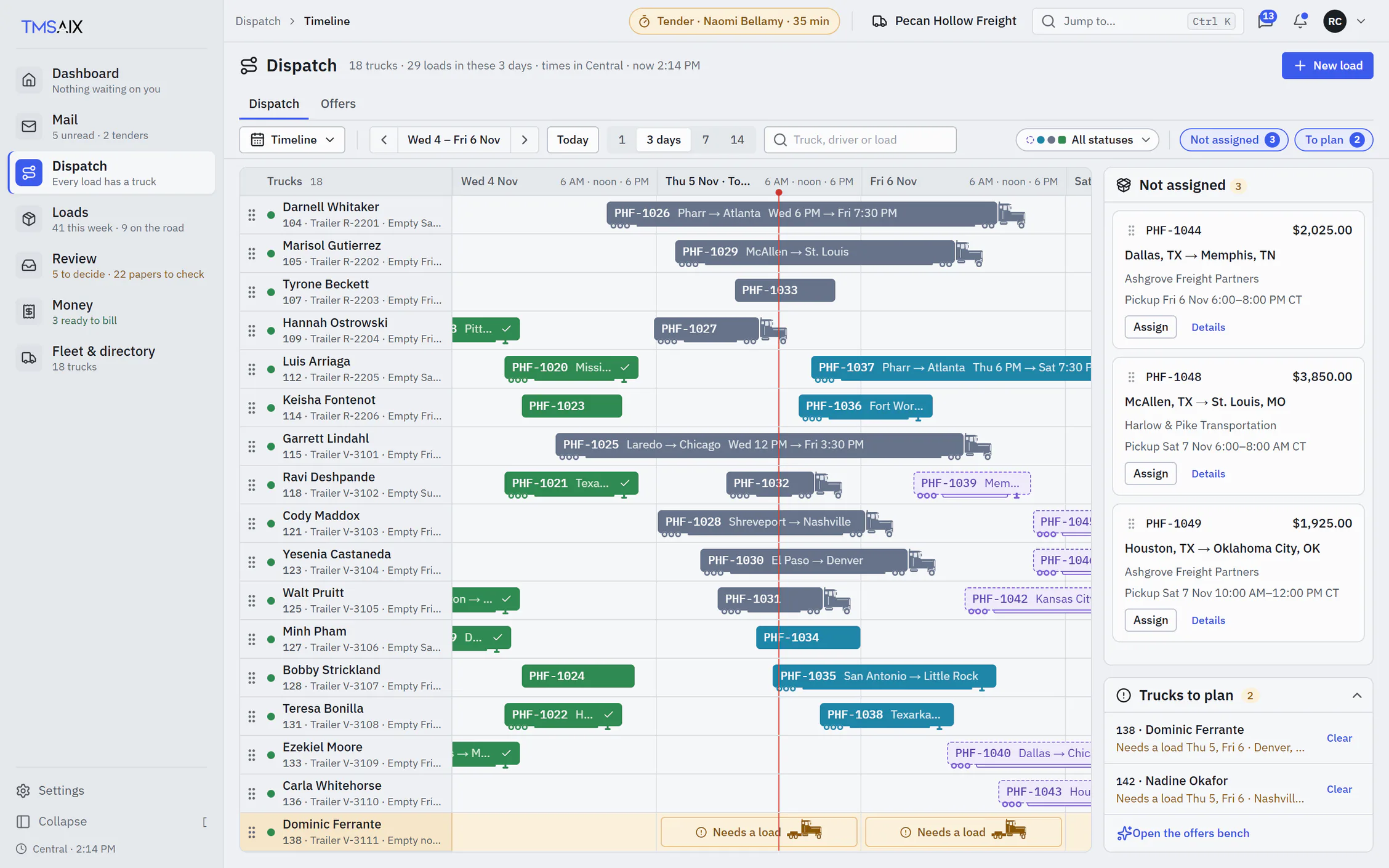
Every truck and every load on one timeline.
Each load is a semi-truck bar on the hours it runs: trailer booked, rig in transit, delivered.
The red line is now. Left of it is done; right of it is the plan.
A truck with nothing booked shows a Needs-a-load band, days before the gap.
Paperwork comes from the cab and lands on the load, ready to bill.
From the broker's email to the invoice.
The AI does the reading. A person does the deciding. Each step says where it happens and who does it.
- You
Connect the mailbox
Microsoft 365, or any mailbox over IMAP. Gmail works.
- The AI
Reads and sorts
Offers, rate cons, tenders and updates are sorted. Rate cons are read into a proposed load.
- You
Check and create the load
The PDF beside the values. Unsure values first. Create load unlocks when nothing is left to check.
- Dispatch
Put it on a truck
On the Timeline, on the hours it runs. The Board and the Map show the same load.
- The driver
Taps the stops
Arrived, Loaded, Unloaded, Departed, with no signal needed. The times land on the load.
- The driver
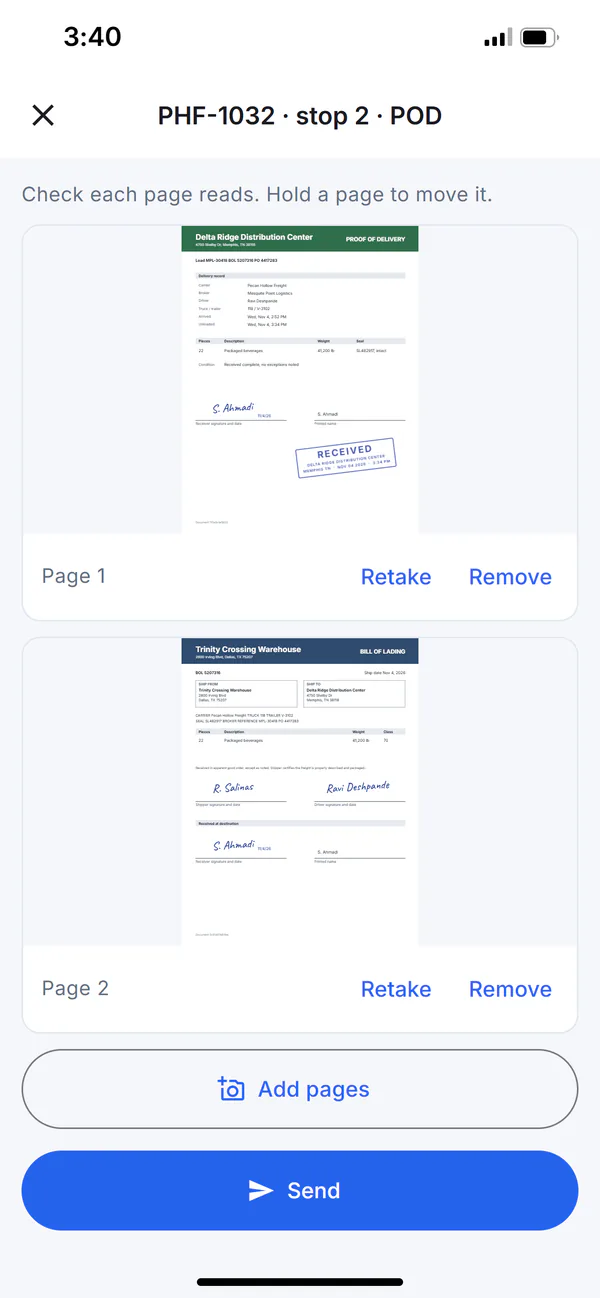
Scans the paperwork
BOL, POD and lumper receipt from the phone’s camera, at the dock.
- The AI
Reads the paperwork
POD, BOL and lumper receipt are matched to the load. Anything missing is listed.
- Billing
Bill the load
Ready to bill once the paperwork is in. Invoice it from Billing.
- Billing
Or send it to factoring
Add your factoring company in the Directory; invoices and schedules go to them.
What the AI does not do: create a load, send a reply or touch billing on its own. Your corrections teach it.
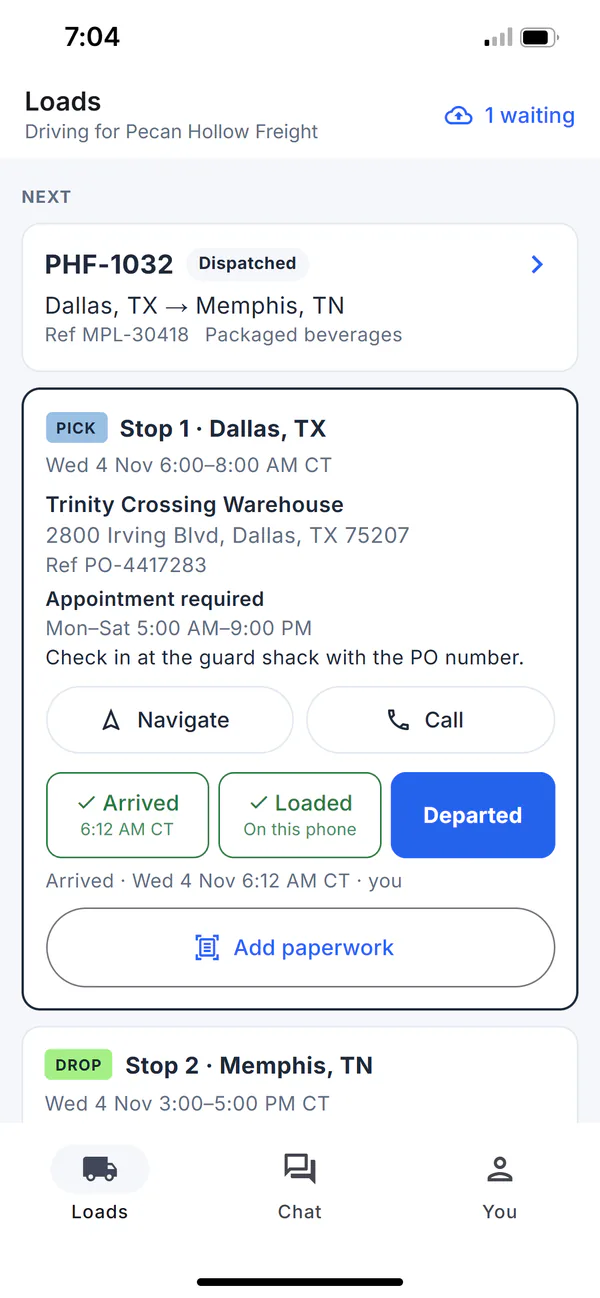
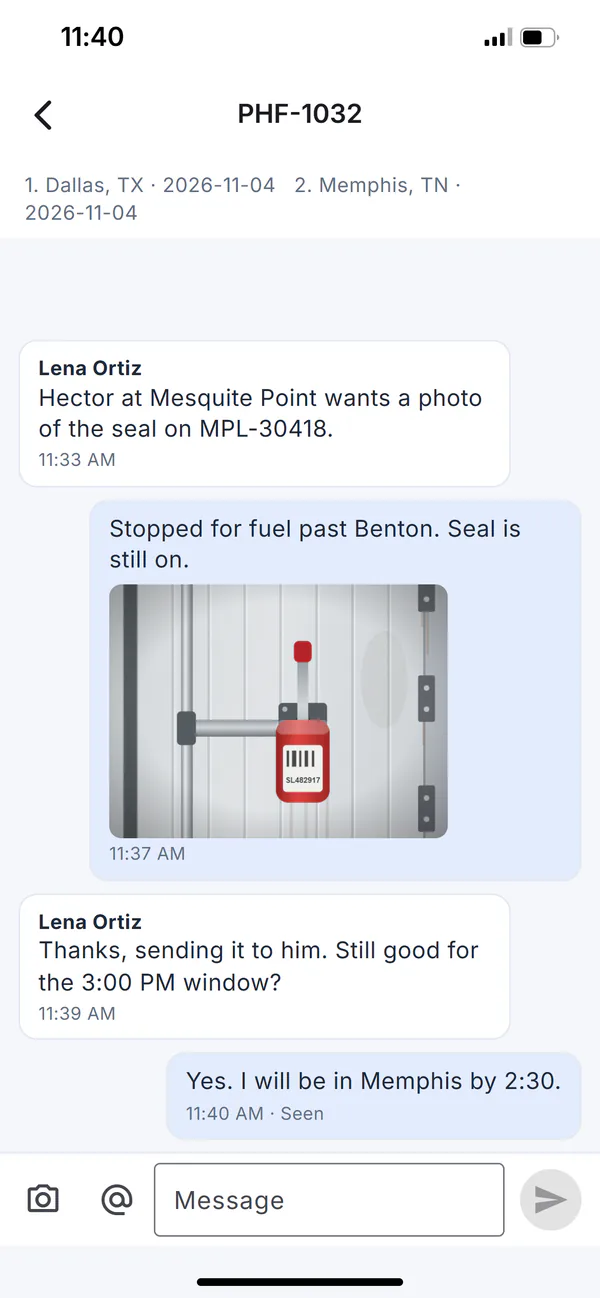
TmsAiX Driver. The cab's side of the load.
- What the driver does
- Taps Arrived, Loaded, Unloaded and Departed, with no signal needed. Scans BOL, POD and lumper receipts. Enters reefer readings. Chats with dispatch.
- What the office sees
- The stop times on the load, the scans in Paperwork, the chat beside the load, and the truck's last reported position on the Map while the trip runs.
- What it does not do
- No ads, no selling of your data, no tracking across other apps and no analytics. Location is shared during a trip only, and only if the driver turns it on.
Questions carriers ask first.
Anything missing, ask by email. A person answers.
Yes. Gmail and Google Workspace connect over IMAP with an app password: turn on 2-Step Verification for the account, then create an app password for TmsAiX. On Google Workspace, your admin must also allow IMAP. Microsoft 365 connects with your Microsoft sign-in.
No. Dispatch, the driver app and billing work without it. Connect the mailbox when you want the AI reading your broker email.
No. The AI reads the rate con and proposes the values. A person checks them against the PDF, and Create load unlocks only when nothing is left to check. Your corrections teach it.
For stop taps, scans and chat, yes. It is free for your drivers, invite-only, and works on iPhone and Android. Dispatch works without it; paperwork then comes in by email or upload.
Yes. Add the factoring company in the Directory; invoices and schedules go to them from Billing.
In the United States, on Microsoft Azure. Your mailbox stays yours; TmsAiX reads it with the access you grant and nothing more.
See it with your own loads.
Tell us your fleet size and how your broker mail comes in. We'll walk you through TmsAiX on a call and answer what the FAQ didn't.